
debezium
debezium
配置示例
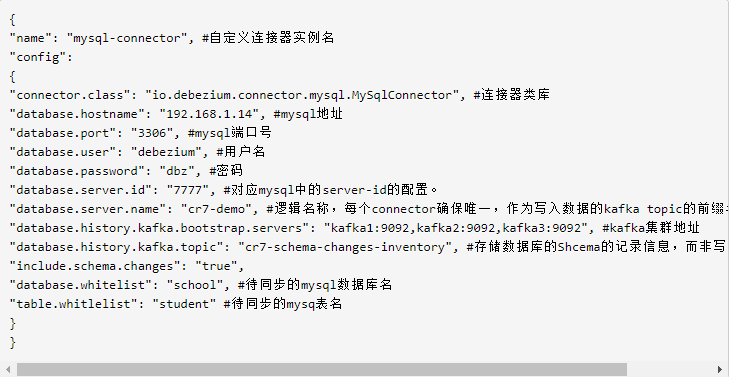
为了方便起见,先编辑一个文件 mysql10.250.43.107-connector.json:
{
    "name":"mysql10_250_43_107-connector",
    "config":{
        "connector.class":"io.debezium.connector.mysql.MySqlConnector",
        "database.hostname":"10.250.43.107",
        "database.port":"3306",
        "database.user":"root",
        "database.password":"qmPeZR38bffnG1KsRafb",
        "database.server.id":"2385205150",
        "database.server.name":"mysql10_250_43_107",
        "database.history.kafka.bootstrap.servers":"hwtest-data1:9092",
        "database.history.kafka.topic":"ods_fin_settlement_fin_cs_withdraw_kafka",
        "include.schema.changes":"true",
        "database.whitelist":"fin_settlement",
        "table.whitlelist":"fin_cs_withdraw"
    }
}
- 通过 Http Post 请求新增 connector 连接器实例:
curl -X POST -H "Content-Type:application/json" --data @mysql10.250.43.107-connector.json http://127.0.0.1:8083/connectors- 通过 Http Post 请求删除 connector 连接器实例:
curl -X DELETE -H "Content-Type:application/json" --data @mysql10.250.43.107-connector.json http://127.0.0.1:8083/connectors/mysql10_250_43_107-connector- 查看新增的连接器实例:
curl http://127.0.0.1:8083/connectors- 查看连接器实例运行状态:
curl http://127.0.0.1:8083/connectors/mysql10_250_43_107-connector/statuskafka connet sql server从指定位置修复
发送一条数据到connect-offsets key: ["sqlserver-cdc-source-AIS20201114225525",{"server":"AIS20201114225525"}] value:
snapshot.mode参数
snapshot.mode Debezium 支持五种模式:
- initial :默认模式,在没有找到 offset 时(记录在 Kafka topic 的 connect-offsets 中,Kafka connect 框架维护),做一次 snapshot——遍历有 SELECT 权限的表,收集列名,并且将每个表的所有行 select 出来写入 Kafka;
- when_needed: 跟 initial 类似,只是增加了一种情况,当记录的 offset 对应的 binlog 位置已经在 MySQL 服务端被 purge 了时,就重新做一个 snapshot。
- never: 不做 snapshot,也就是不拿所有表的列名,也不导出表数据到 Kafka,这个模式下,要求从最开头消费 binlog,以获取完整的 DDL 信息,MySQL 服务端的 binlog 不能被 purge 过,否则由于 DML binlog 里只有 database name、table name、column type 却没有 column name,Debezium 会报错 Encountered change event for table some_db.some_table whose schema isn't known to this connector;
- schema_only: 这种情况下会拿所有表的列名信息,但不会导出表数据到 Kafka,而且只从 Debezium 启动那刻起的 binlog 末尾开始消费,所以很适合不关心历史数据,只关心最近变更的场合。
- schema_only_recovery: 在 Debezium 的 schema_only 模式出错时,用这个模式恢复,一般不会用到。
snapshot.locking.mode 设置为 “none” 是为了避免获取表的元信息时锁表(要么是 RELOAD 权限用 flush tables with read lock,要么是 LOCK TABLES 权限锁单个表),此时要求 Debezium 启动或者重启时没有 DDL 语句执行,否则 Debezium 抓取到的元信息跟并发执行的 DML 之间不一致。 sqlserver 只支持 initial_only, initial, schema_only
initial: Takes a snapshot of structure and data of captured tables; useful if topics should be populated with a complete representation of the data from the captured tables.全量+增量
initial_only: Takes a snapshot of structure and data like initial but instead does not transition into streaming changes once the snapshot has completed.全量
schema_only: Takes a snapshot of the structure of captured tables only; useful if only changes happening from now onwards should be propagated to topics.从启动消费
默认都是 initial
mysql
Specifies the criteria for running a snapshot when the connector starts. Possible settings are:
initial - the connector runs a snapshot only when no offsets have been recorded for the logical server name.
initial_only - the connector runs a snapshot only when no offsets have been recorded for the logical server name and then stops; i.e. it will not read change events from the binlog.
when_needed - the connector runs a snapshot upon startup whenever it deems it necessary. That is, when no offsets are available, or when a previously recorded offset specifies a binlog location or GTID that is not available in the server.
never - the connector never uses snapshots. Upon first startup with a logical server name, the connector reads from the beginning of the binlog. Configure this behavior with care. It is valid only when the binlog is guaranteed to contain the entire history of the database.
schema_only - the connector runs a snapshot of the schemas and not the data. This setting is useful when you do not need the topics to contain a consistent snapshot of the data but need them to have only the changes since the connector was started.
schema_only_recovery - this is a recovery setting for a connector that has already been capturing changes. When you restart the connector, this setting enables recovery of a corrupted or lost database schema history topic. You might set it periodically to "clean up" a database schema history topic that has been growing unexpectedly. Database schema history topics require infinite retention.